Best CRM for Cleaning Business

Organize leads, track communications, and manage your cleaning operations from one place.
Running a cleaning business means managing customers, appointments, employees, and payments every day. When your business grows, keeping everything organized manually becomes difficult. You might miss customer requests, forget appointments, or lose track of important client information.
A CRM (Customer Relationship Management) system can help solve these problems. It allows you to store customer details, track leads, manage communication, and build better relationships with your clients.
However, not every CRM is designed for cleaning businesses. Some offer complete cleaning business management features, while others focus mainly on customer relationships and sales.
In this guide, we compare four CRM tools for cleaning businesses: Jobber, ZenMaid, Housecall Pro, and HubSpot CRM. We’ll look at their features, benefits, limitations, and pricing to help you choose the right option for your business.

Best CRM for Cleaning Business – 4 Top Picks
Compare the leading CRM platforms built to help cleaning businesses organize schedules, track leads, and scale operations seamlessly.
JOBBER
01/04
BEST OVERALL

Jobber

⭐ 4.8/5 • Best Overall CRM

Best For: Residential and commercial cleaning businesses.
Key Features: Customer management, Job scheduling, Estimates/invoicing, Online payments.
A complete business management solution that syncs field staff with administrative workflows cleanly.
🟢 Pros: Easy to use, excellent all-in-one suite.
🔴 Cons: Advanced automations require higher plans.
02/04
BEST FOR RESIDENTIAL CLEANING

ZenMaid

⭐ 4.7/5 • Best for Maid Services
Best For: Residential cleaning and maid service businesses.

Key Features: Client communication, Recurring schedules, Online booking, Cleaner management.
Designed specifically for maid services to keep calendar dispatch and customer scheduling fluid.
🟢 Pros: Highly cleaning-focused, clean visual calendar.
🔴 Cons: Lacks some generic field service options.
HOUSECALL PRO
03/04
BEST FOR HOME SERVICES

Housecall Pro

⭐ 4.6/5 • Best for Home Service Companies
Best For: Cleaning companies managing multiple jobs and fields.
Key Features: CRM, Job scheduling, Estimates/invoicing, Automated notifications.
Housecall Pro helps service businesses manage workflow dispatching, payment pipelines, and digital receipts.
🟢 Pros: Useful automated custom reminders, clean design.
🔴 Cons: Pricing rises quickly for solo or tiny squads.
HUBSPOT
04/04
BEST FREE CRM

HubSpot CRM

⭐ 4.5/5 • Best Free CRM
Best For: Small cleaning businesses managing customer leads.
Key Features: Contact management, Lead tracking, Email tracking, Communication tools.
HubSpot offers a robust free tier ideal for keeping track of initial inquiries, emails, and client notes.
🟢 Pros: Powerful free tier with high data storage limits.
🔴 Cons: Not uniquely built for physical dispatch operations.

What is CRM for a Cleaning Business?

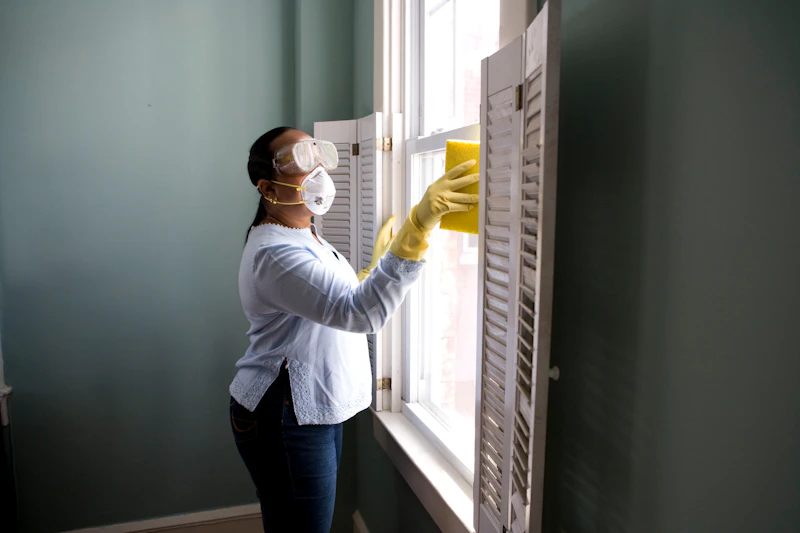
Cleaning CRM software helps you manage your customers and keep their details in one place. You can save customer information, check messages, prepare price quotes, and keep track of customer requests.

This software is made for cleaning businesses. It helps you plan cleaning jobs, manage regular customers, send invoices, accept online payments, and manage your cleaning team.

With cleaning CRM software, you can handle customers, workers, and daily tasks more easily without using different tools.

Photo by Neil Fernandez on Unsplash
CHOOSE THE RIGHT PATH

Do you need a CRM or full cleaning business software?

Standalone CRM

A standalone CRM is a good fit if your main goal is organizing leads and customer information.

Full Cleaning Business Software

If you’re scheduling jobs, dispatching cleaners, sending invoices, and collecting payments, full cleaning business software offers much more value.

Signs It’s Time to Upgrade
Are admin bottlenecks slowing you down?

Using outdated methods puts a ceiling on your business growth. If you identify with any of these daily struggles, it is time for a modern solution:

How We Selected the Best CRM for Cleaning Businesses

To find the best CRM software for cleaning businesses, we first explored online forums to learn what cleaning business owners need most. Next, we checked trusted review websites like Software Advice to learn more about popular CRM tools. We also watched software tutorials to understand how each platform works.
Before choosing the best options, we compared each software based on the features that matter most to cleaning companies:
After comparing these features, we created a list of the top CRM software for cleaning businesses. Our goal is to help you find a tool that saves time, keeps your team organized, and makes daily business tasks easier.

1. Jobber

Jobber is a highly-rated field service management platform built to help mobile and contracting businesses estimate work, schedule and dispatch teams, and handle payments all in one efficient flow. It acts as the command center for your entire operation, ensuring your customers receive professional, automated communication at every touchpoint.

Key Features

Additional Tools

Pros & Cons

Pros

Cons

Starting at $29/user/month

Free Trial available • Try completely risk-free for 14 days

2. ZenMaid

ZenMaid is an incredibly simple, highly-rated CRM designed specifically for residential cleaning business owners. It focuses on easing scheduling headaches, letting you manage and scale your entire operation from a single intuitive platform.

Key Features

Photo by Ed Hardie on Unsplash

Pros

Cons

Starting at $19/month

All plans include a 14-day Free Trial. Try ZenMaid absolutely free—no credit card required.

3. Housecall Pro

Housecall Pro is the best CRM for home service businesses that want Google booking, built-in dispatching, and customer communication tools. It helps cleaning companies manage customer relationships while making it easier to book jobs, schedule technicians, and keep customers informed throughout the service process.

Photo by PuroClean of Fort Worth on Unsplash

Key features

Pros

Cons

Pricing

Housecall Pro offers tailored pricing, so you must book a demo to get your quote. A free trial is available.

4. HubSpot CRM

HubSpot is best for cleaning businesses with dedicated sales and marketing teams, multi-service companies, or growing commercial cleaning operations. Its powerful marketing, lead management, and reporting tools make it a strong choice for businesses focused on generating leads, managing sales pipelines, and building long-term customer relationships.
Photo by Dylan Gillis on Unsplash

Key features

Pros

Cons

Pricing

HubSpot CRM offers a free plan with core CRM features. Paid plans with additional sales, marketing, and automation tools start at higher tiers depending on the features and number of users needed. A free trial is available for paid plans.

What to Look for in the Best Cleaning CRM

Choosing the right CRM is important for any cleaning business. A good CRM helps you manage customers, save time, organize daily tasks, and grow your business.
Photo by Jose Vazquez on Unsplash
Before choosing a CRM for your cleaning company, think about what your business really needs. Here are a few questions to consider:
Here are some important features to look for when choosing a cleaning CRM:

Customer Communication

A good CRM can send automatic booking confirmations, reminders, and follow-up messages. This helps you stay connected with customers and avoid missed appointments.

Mobile App

A mobile app lets you check customer details, schedules, and job information from anywhere. It is useful for both solo cleaners and cleaning teams.

Reports and Analytics

Good reporting tools help you track income, business costs, job performance, and customer activity. Some CRM systems also offer AI tools to help you make better business decisions.

Customization

Every cleaning business works differently. Choose software that lets you adjust features and settings to match your daily work.

Integrations

Your CRM should connect with other tools you use for your business, such as accounting software, payment systems, and other management apps. This makes it easier to manage everything in one place.

Training and Customer Support

Choose a CRM that offers helpful training and reliable customer support. If you have a problem or need help using a feature, a good support team can help you get started quickly.

Important CRM Features for Residential vs. Commercial Cleaning Businesses

The right CRM software depends on the type of cleaning business you run. Residential and commercial cleaning companies have different needs, so it’s important to choose software with the right tools.

1. Residential Cleaning Businesses

If you clean houses and apartments, you need software that makes it easy to manage customers and repeat bookings. It should also help you stay in touch with customers and keep daily work organized.

2. Commercial and Janitorial Cleaning Businesses

If your company cleans offices, schools, buildings, or other commercial spaces, you may need more advanced tools. These features help you manage larger teams, multiple locations, and long-term cleaning contracts.

Final Thoughts

Before choosing a CRM, think about the type of cleaning services you offer. Residential cleaning companies may need simple booking and customer management tools, while commercial cleaning companies often need better team management and job tracking features. Choosing software that matches your business needs can save money, reduce extra work, and help your team run more smoothly.

Helpful Tools That Work Together

Your CRM is better when it talks to your other business tools. This helps you save time and makes it easy to handle everything from finding new clients to getting paid.

Money Tools

Apps like QuickBooks help you track your bills and spending. They keep your money records correct automatically.

Paying Online

Let your customers pay their bills on the web. This is fast and means you don’t have to ask for money as often.

Finding Clients

Link your CRM to email tools to talk to new people. It helps you send messages and keep in touch with future customers.

Free Tools vs. Paid Tools

Free apps like HubSpot or Zoho are great for small teams. They store client info and keep track of your chats. But free plans often miss things you need. You might not get tools for schedules, managing your team, or sending bills.

When your business gets bigger, using many apps is hard. You might end up doing too much work yourself.
The right tool makes your work easy and keeps clients happy. Start free if you are small. Move to a paid plan when you need more help.

A paid tool is better if you:

Got Questions? We Have Answers

Frequently Asked Questions

What is CRM software for a cleaning business?
CRM (Customer Relationship Management) software is a digital tool that helps cleaning businesses store customer details, track leads, schedule jobs, and manage all communications in one central place.
It automates repetitive tasks like sending reminders and invoices, which saves time, reduces errors, and helps you focus on growing your business.
It ensures you never miss an appointment, allows for easy online booking, and stores customer preferences so you can provide a personalized and reliable service every time.
Popular choices include Jobber, Housecall Pro, and ZenMaid, as they offer specific features like recurring scheduling and mobile apps designed for residential services.
Yes, HubSpot and Zoho CRM offer free versions that are excellent for managing contacts and sales leads, though they may lack specific cleaning tools like route optimization.
General CRM focuses on sales and customer data, while cleaning business software includes industry-specific tools like dispatching, job checklists, and field staff management.
Absolutely. They are great for businesses with a strong focus on marketing and sales, though you may need to integrate them with other tools for daily scheduling.
Commercial businesses often use HubSpot or Salesforce for their advanced reporting and lead management, or specialized janitorial software for managing large teams and contracts.